
Table of Contents
Update your primary email address on PayPal hassle-free. Whether you’re rebranding or simply need to switch emails, this quick guide will walk you through the process step-by-step. Keeping your account information up-to-date is crucial for smooth transactions and communication. Follow these simple instructions to ensure your PayPal account reflects your current email address accurately.
Introduction to Changing Primary Email on PayPal
Updating your primary email on PayPal with our concise guide. Ensuring your account reflects accurate contact information is essential for smooth transactions. Whether for rebranding or personal preference, follow these straightforward steps to change your primary email address hassle-free. Stay connected and informed with PayPal by keeping your account details up-to-date effortlessly.

Accessing Your PayPal Account Settings
Access your PayPal account settings effortlessly to manage your preferences and information. Navigate to the PayPal website and log in using your credentials. Once logged in, locate the settings icon typically found in the upper right corner of the screen. Click on it to access a dropdown menu, then select “Account Settings.” From there, you can customize various aspects of your PayPal account to suit your needs.
Navigating to the Email Address Section
Navigate to the Email Address section on PayPal, start by logging into your account on the PayPal website. Once logged in, locate the settings icon in the top right corner of the screen and click on it. In the dropdown menu, select “Account Settings.” Within the Account Settings page, find and click on the “Update” link next to your current email address.

Adding a New Email Address
Add a new email address on PayPal, first, navigate to the Email Address section in your Account Settings. Click on the “Add” button. Enter the new email address you want to add and confirm it. PayPal will send a verification email to the new address. Open the email and click the verification link to confirm. Once verified, the new email address will be added to your PayPal account.
Setting the New Email as Primary
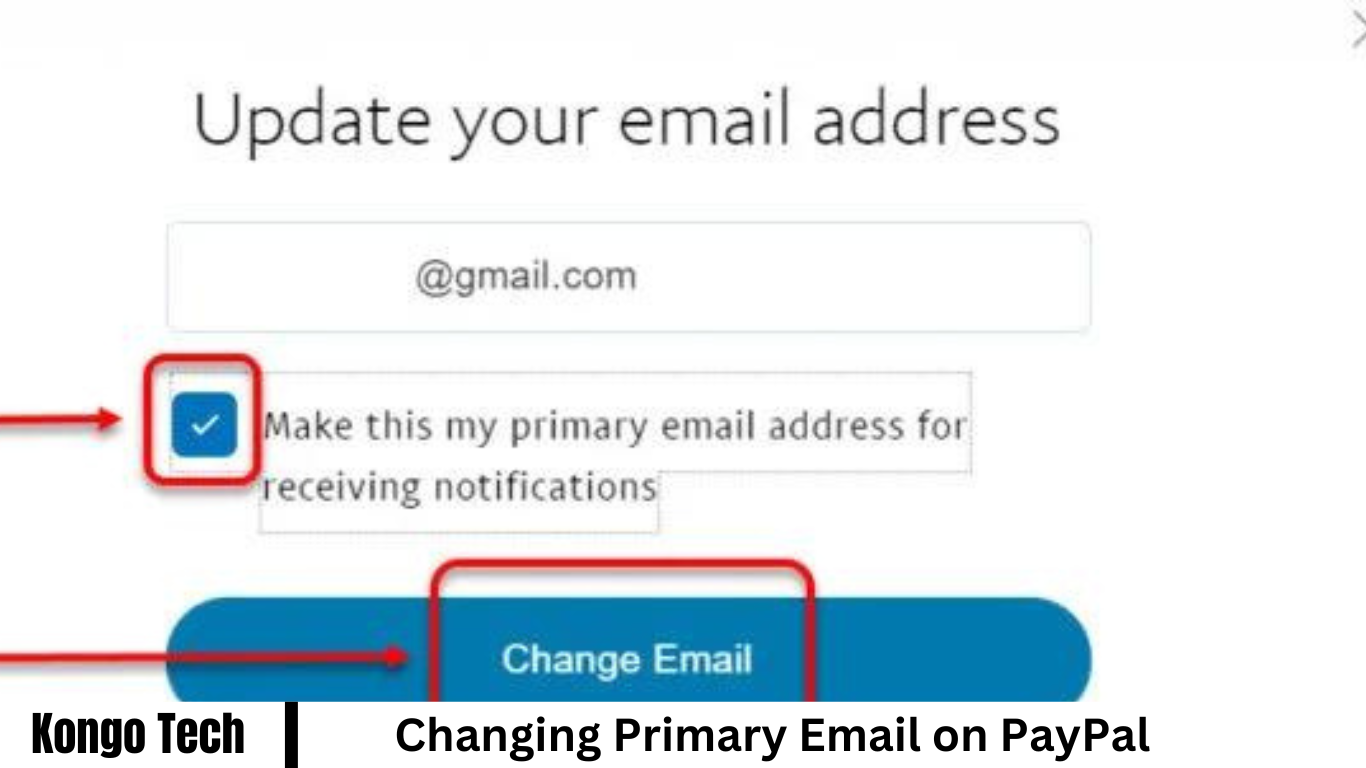
Set the new email as primary on PayPal, go to the Email Address section in Account Settings. Find the email you want to make primary and click “Edit.” Check the box labeled “Make this your primary email address” and save changes. PayPal will send a confirmation email to both your old and new addresses. Confirm the change by clicking the verification link in the email sent to your new address.

Verifying the Changes and Confirming the Update
After setting the new email as primary on PayPal, verify the changes by checking your email inbox. PayPal will send a confirmation email to both your old and new email addresses. Open the email sent to your new address and click the verification link to confirm the update. Once confirmed, your new email address will be successfully updated as the primary email associated with your PayPal account.
Frequently Asked Questions
Why is it important to update my primary email on PayPal?
Maintaining accurate contact information is crucial for smooth transactions and communication with PayPal.
How do I access my PayPal account settings?
Log in to your PayPal account and navigate to the settings icon located in the top right corner of the screen.
Where can I find the Email Address section in my PayPal account settings?
Within the Account Settings menu, locate and click on the “Update” link adjacent to your current email address.
Can I add a new email address to my PayPal account?
You can add a new email address by selecting the “Add” option within the Email Address section.
How do I set a new email address as the primary on PayPal?
To designate a new email address as primary, click “Edit” next to the desired email and select “Make this your primary email address.”
Will I receive confirmation emails after making changes to my email address on PayPal?
Yes, PayPal automatically sends confirmation emails to both your old and new email addresses.
What should I do upon receiving the confirmation emails?
Open the email sent to your new address and follow the provided instructions, usually involving clicking a verification link.
Is it necessary to confirm the changes to my primary email on PayPal?
Yes, confirming ensures that your new email address is successfully updated and recognized by PayPal’s system.
How long does it take for the changes to reflect in my PayPal account?
Typically, the changes are instantaneous once you’ve confirmed the update by clicking the verification link.
What if I encounter issues during the process of changing my primary email on PayPal?
Should you encounter any difficulties, don’t hesitate to contact PayPal’s customer support for prompt assistance and resolution.
Conclusion
Updating your primary email on PayPal is a straightforward process that ensures your account information remains accurate and up-to-date. By accessing your account settings, navigating to the Email Address section, and following simple steps to add and designate a new primary email, you can effectively manage your communication preferences.